Your world, kept as it is Sell direct, and sell it your way
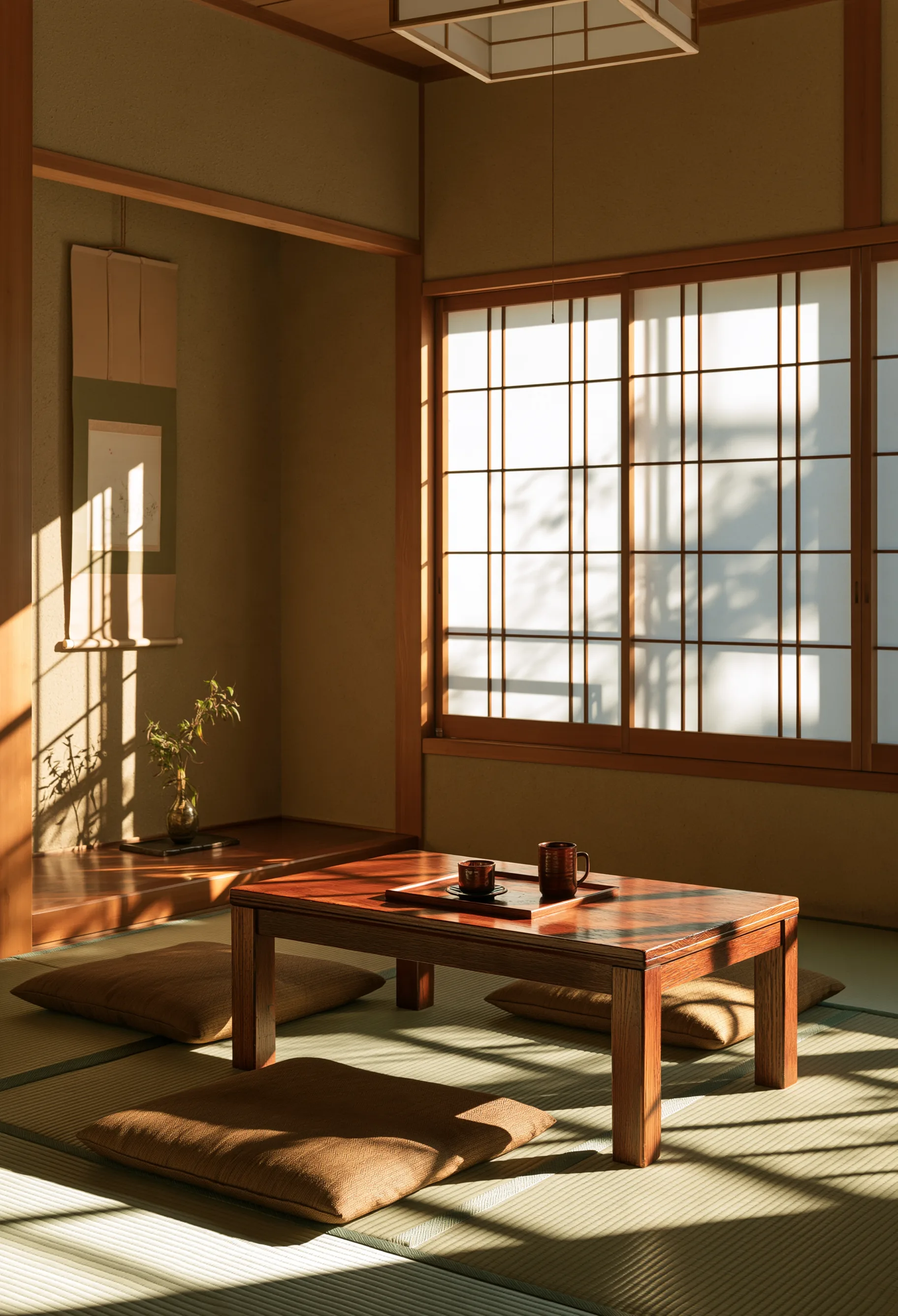
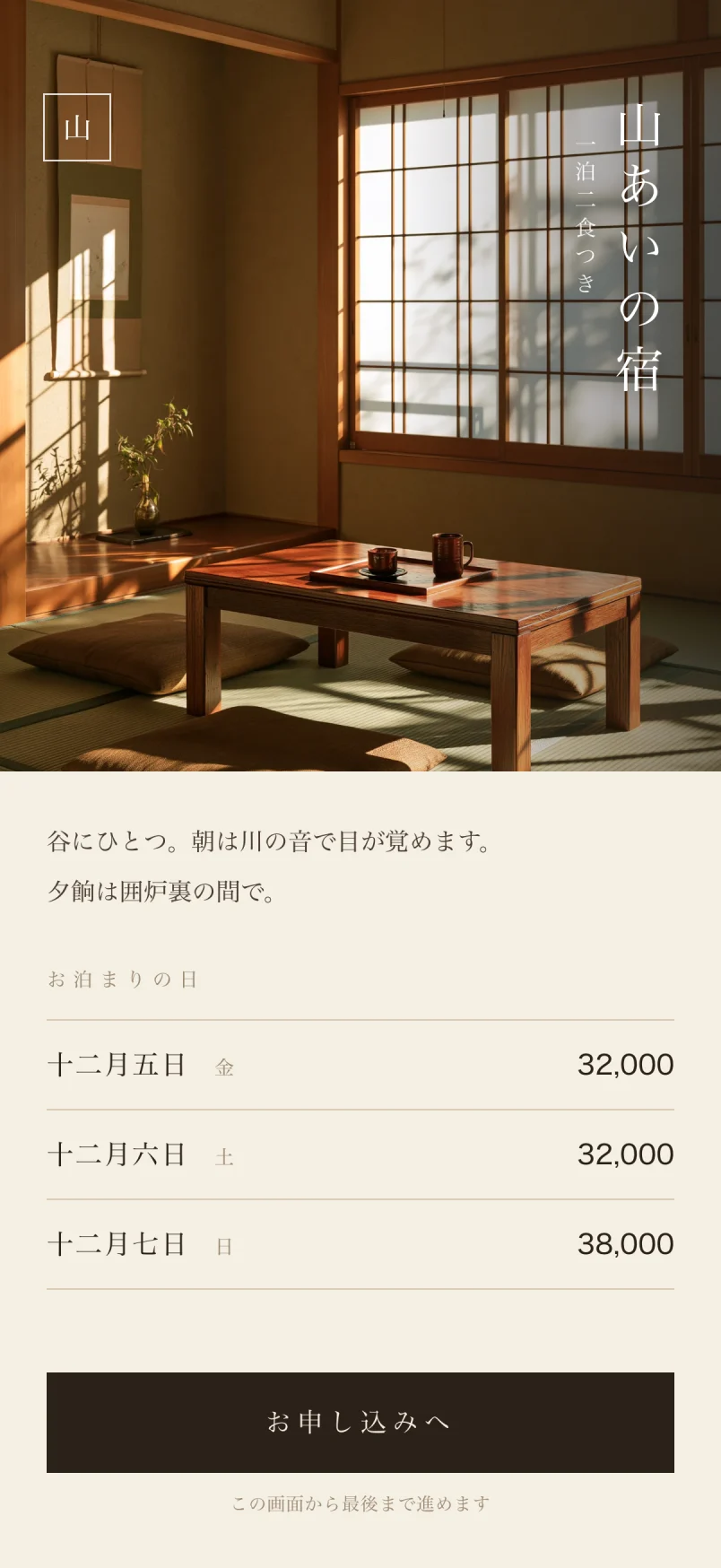
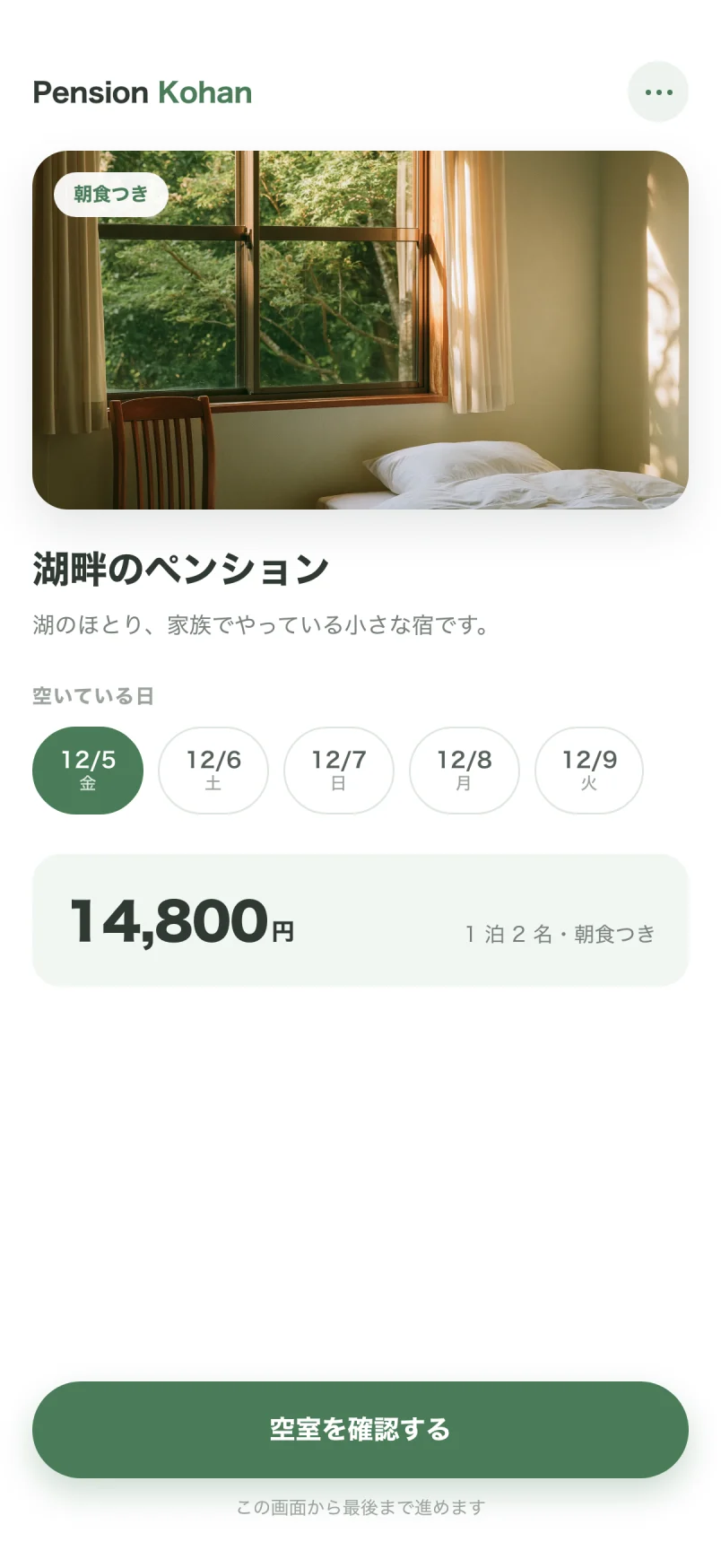
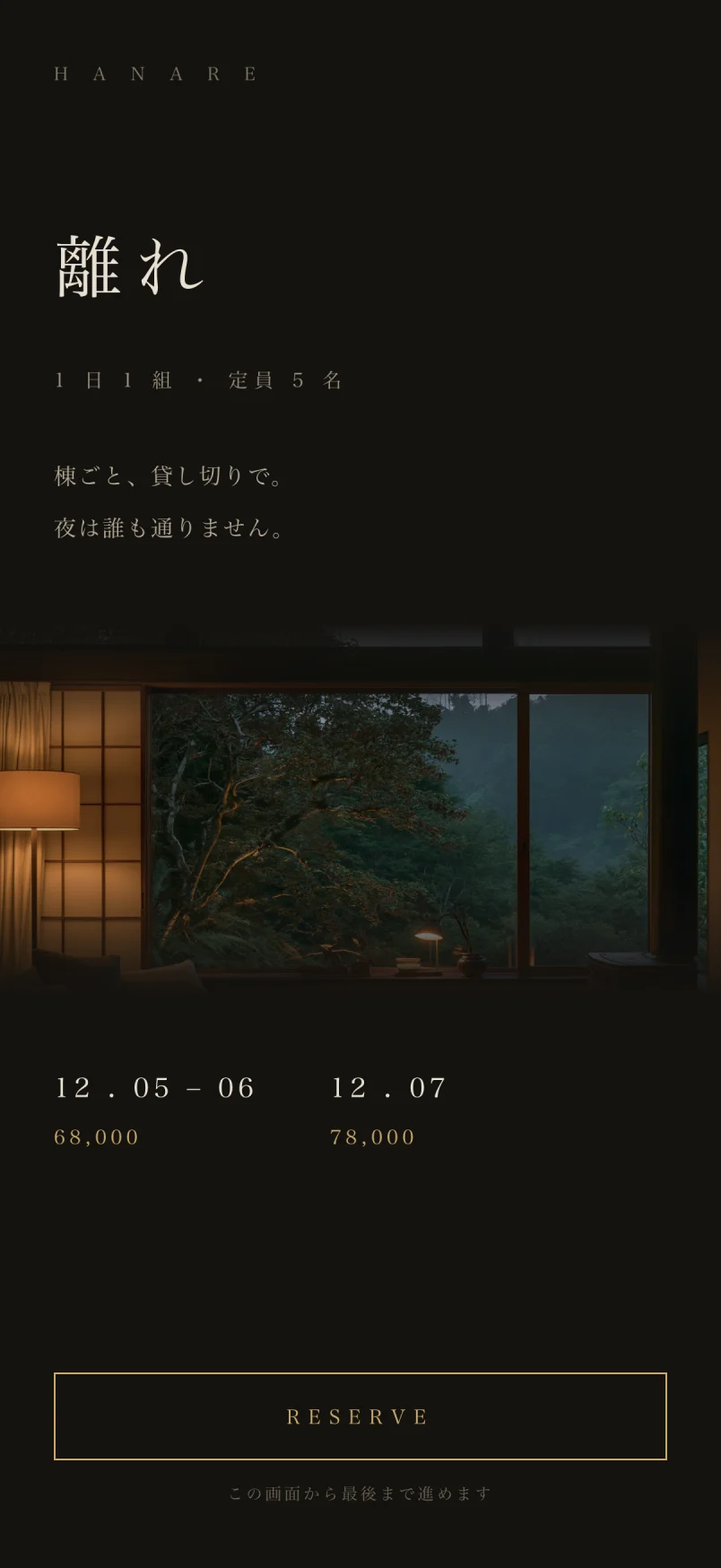
$20 / month up to 10 rooms (ex. tax)
- $0Setup fee
- $0Commission
- 3monthsfree
- NoneMinimum contract
The kind of property this is for
- Wanting to start selling direct from your own site
- Up to 25 rooms — whole-house rentals, pensions, minpaku
- Run by a few people, with limited money and time
- Whether you are preparing to open or already trading

Four things Kai holds to We want this to sit quietly alongside a small property’s freedom
-
How you start stays yours too
01
Up to 10 rooms the price does not rise, whether you add rooms or buildings. Three months free, no minimum contract. You do not have to build a booking screen, and everything but the booking screen stays your own site. What you do enter is your rooms and your prices.
-
How you sell, and how you look, stay yours
02
Where, at what price and from when you sell — the terms are yours to set. kai provides the booking screen, so you do not have to build one, and if you would rather draw it in your own site’s look, there is an API that returns availability, prices and bookings. Your guests choose between Japanese, English and Simplified Chinese, and you decide which of them to offer.
-
How you leave stays yours too
03
Bookings, guest register, customers, prices, cancellation rules and closures — six kinds of data, exportable as CSV. There is no minimum contract, and you do not need our permission.
-
Running it day to day takes few hands too
04
There are no complicated features. No automatic pricing, no app, nothing for driving demand. Kai holds only what a property of up to 25 rooms needs, so there is less to learn. Open the admin screen and only what needs acting on is listed.
A simple price
Monthly or annual.
Paying annually costs two months less.
Prices are shown in US dollars. Billing is in Japanese yen, so the amount charged moves with the exchange rate.
1 to 10 rooms
$20/ month (before tax)
$200/ year (before tax)
Save 2 months ($40)
First 3 months free
Start on this plan11 to 25 rooms
$35/ month (before tax)
$350/ year (before tax)
Save 2 months ($70)
First 3 months free
Start on this plan- Setup fee
- $0
- Booking fee
- $0
- Minimum contract
- None
- Free period
- 3 months
- Payment processing fee
- The card processing fee does not pass through us. You pay it directly to the payment company. The payment company’s (Stripe) standard rate is 3.6% per successful payment (checked on their official page on 11 September 2026). For the current rate, please see their official page.
What the monthly fee includes
-
Guest register
-
A booking engine on your own site
-
Serve it on your own domain
What Kai does, and what it does not
| Kai | |
|---|---|
| What Japanese law requires | |
| Guest register (nationality and passport number; printable as a document) | |
| Inbound | |
| Language of the booking screen | Japanese / English / Simplified Chinese |
| Language of the admin screens | Japanese / English (Simplified Chinese rolling out) |
| Cards issued outside Japan | |
| Language of the confirmation email | Japanese only |
| Cancellation charges | |
| Set the cancellation amount in the admin screen | |
| Capture only the amount your rules specify | |
| Prices and availability | |
| Price plans (by period and day of week) | |
| Automatic price adjustment with demand | |
| Returns a missing price and a full house as different things | |
| OTA | |
| Jalan and Rakuten Travel | |
| Selling from your own site | |
| You can start without building a booking screen | kai provides it |
| Choosing how the booking screen looks | 今後予定 |
| Drawing it in your own site’s look | (returned over the API) |
| Domain of the booking page | Your own domain (no extra charge) |
| Does the guest leave your site while booking | No (only at the moment of payment) |
| Other | |
| Enter phone bookings by hand | |
| A smartphone app | |
| Take your data with you when you leave | six kinds: bookings, prices, cancellation rules, customers, guest register, consent |
For guests from overseas, and for operators from overseas
-
Three languages on screen
Both the booking screen and the admin screens come in Japanese, English and Simplified Chinese. The property can be run by someone who does not read Japanese.
-
Register and payments
Nationality and passport number in the guest register appear only for guests with no address in Japan. Cards issued outside Japan are supported.
-
Operating licence
We do not hold your licence. You can start before it is granted, taking applications rather than bookings.
Moving from another system?Kaitakes that on
-
Starting fresh
-
Moving from another system
Limited time Onboarding support at no charge Until December 31, 2026
-
Onboarding support is quoted after you ask, and the zero setup fee on the monthly plan is unchanged. When you move from another system, payments cannot be moved. Bookings already paid for elsewhere come in as pay-on-site or already paid. Bookings import up to 100 at a time.Both normally carry a separate fee, but for properties that apply within the period above we take them on at no charge.
Life is Journey, Power to the people. A small property can start, and keep going
What Kai cares about is that a property run by a few people can use it without strain.
No complicated features, and the monthly cost kept low, so it can be kept up. That is why we build only what a property of up to 25 rooms needs.
Ask your AI chat about openings and prices
You will be able to ask straight from the AI chat you already use.
No need to open the admin screen.
MCP is a shared procedure for an AI to ask another service. Kai will be able to answer by that procedure, so any AI that uses it can use Kai as it is.
What is free this week?
Only Friday is free. The rest are full.
Which days have no price?
There are 11 of them next month.
Kai is AI Native SaaS — Why the monthly cost can stay low
AI NATIVE SI
From design through to operations we work with AI, and there is no large development team. Headcount does not accumulate, so its cost is not in the price.
We have kept the feature set narrow
The cost of building what we did not build is not in the monthly price.
We do not connect to OTAs
There is no cost for building connections to Jalan and Rakuten and maintaining them through every specification change. In exchange, there is no synchronisation.
This way of building is shared across every Pigeonworks service.
The daily check is counted by the screen
You know what to do the moment you open it
What is listed is only what costs you something if left alone. It takes twelve kinds of thing from your ledger, and shows nothing it does not have. Gaps in the register, card holds about to expire, blank cancellation rules. Each one comes with somewhere to go and fix it. On a day with nothing happening, it is a single line.

“Not available” comes in kinds
A full house, a forgotten price and a deliberately closed day each call for something different from you. Some off-the-shelf booking systems return all of this as a single “no availability”. A day you forgot to price looks to guests like a full house. No enquiry arrives either. Kai separates it into six, each in its own colour.
- Available
- Full
- No price
- Overlapping prices
- Closed
- Double booking

The guest’s screen can match your own site
Kai holds none of your descriptive copy, none of your photographs, and none of your design. Your site stays your site. There are two ways to put it in.
-
Use it as it comes
You can use the booking screen Kai returns exactly as it is. From your site, you put in one link.
-
Draw it in your own design
Your site calls the four endpoints and draws the calendar and the booking form in your own colours and typeface.
The only moment the screen changes is when the card is entered. That is the same as any other payment page, and moving to a different address tends to reassure people.
Frequently asked questions
Can you synchronise availability with Jalan or Rakuten Travel?
No, and there are no plans to. Holding availability in two places means nobody can say which one is right. If what you need is availability kept in step with Jalan or Rakuten, Kai is not for you.
I already have bookings. Can I bring them across?
There is no way to import existing bookings. Pick a date to move on, and take bookings from that date forward in Kai. Bookings before it stay in the system you use now, until they are done. The one thing to watch is not leaving the same dates open in both places, or you will sell them twice.
Can I charge a cancellation fee on a booking taken by phone?
No. A booking entered by hand has no card held against it, so even with rules in place the amount is zero. It does go into the ledger, so availability and the register are both complete.
How will I know a booking has come in?
By email. One to the property, separate from the confirmation sent to the guest. You can have it go to more than one address (we set that up for you at the moment). If the email fails to send, the booking itself still stands.
Can each person have their own login?
Yes. One property can have several logins. Who opened the guest register, and when, is recorded, so sharing a single login is the less safe choice. There is no way to give different people different access, though — everyone sees the same screens. We issue the logins.
If I cancel, what happens to the register and the bookings?
They are exported first, then the account stops. Exporting the register and bookings as CSV is part of cancelling — it does not complete until you have. The guest register has to be kept for three years, so we make sure it cannot stop without a copy in your hands. We do not delete the register on our side either.
Will you tell me if the register leaks?
We cannot detect it automatically. Who opened the register and when is recorded, but there is nothing that spots something unusual and tells you.
Can I sign up before my licence comes through?
We do not ask for your licence.
Can I take guests from overseas?
Yes. The guest register has fields for nationality and passport number, and they appear only for guests with no address in Japan. Foreign nationals living in Japan are not asked for them. Cards issued outside Japan work. The guest screens are available in Japanese, English and Simplified Chinese; the admin screens in Japanese and English. Text set by law stays in Japanese. We are widening both screen by screen; some refusal messages and the confirmation emails are still in Japanese.
I have 11 rooms or more. Can I use it?
Up to 25 rooms, it is $35 a month before tax — a separate tier from the $20 for up to 10. We do not design for 26 or more. You could split it into an account per property, but we do not have the features that scale needs, and something else would probably suit you better.
Jalan and Rakuten Travel are my main source of bookings. Is this still for me?
No OTA synchronisation, and none planned.
I have 26 rooms or more. Can I use it?
We do not have the features for that scale.
I am looking for something to lift occupancy or rate. Does Kai have that?
There is nothing that changes prices automatically with demand.
Contact us
Tell us your property name and how you take bookings today. We will look into it before we reply.